Menu

Show posts

This section allows you to view all posts made by this member. Note that you can only see posts made in areas you currently have access to.

Show posts Menu

Messages - Einzo

#136
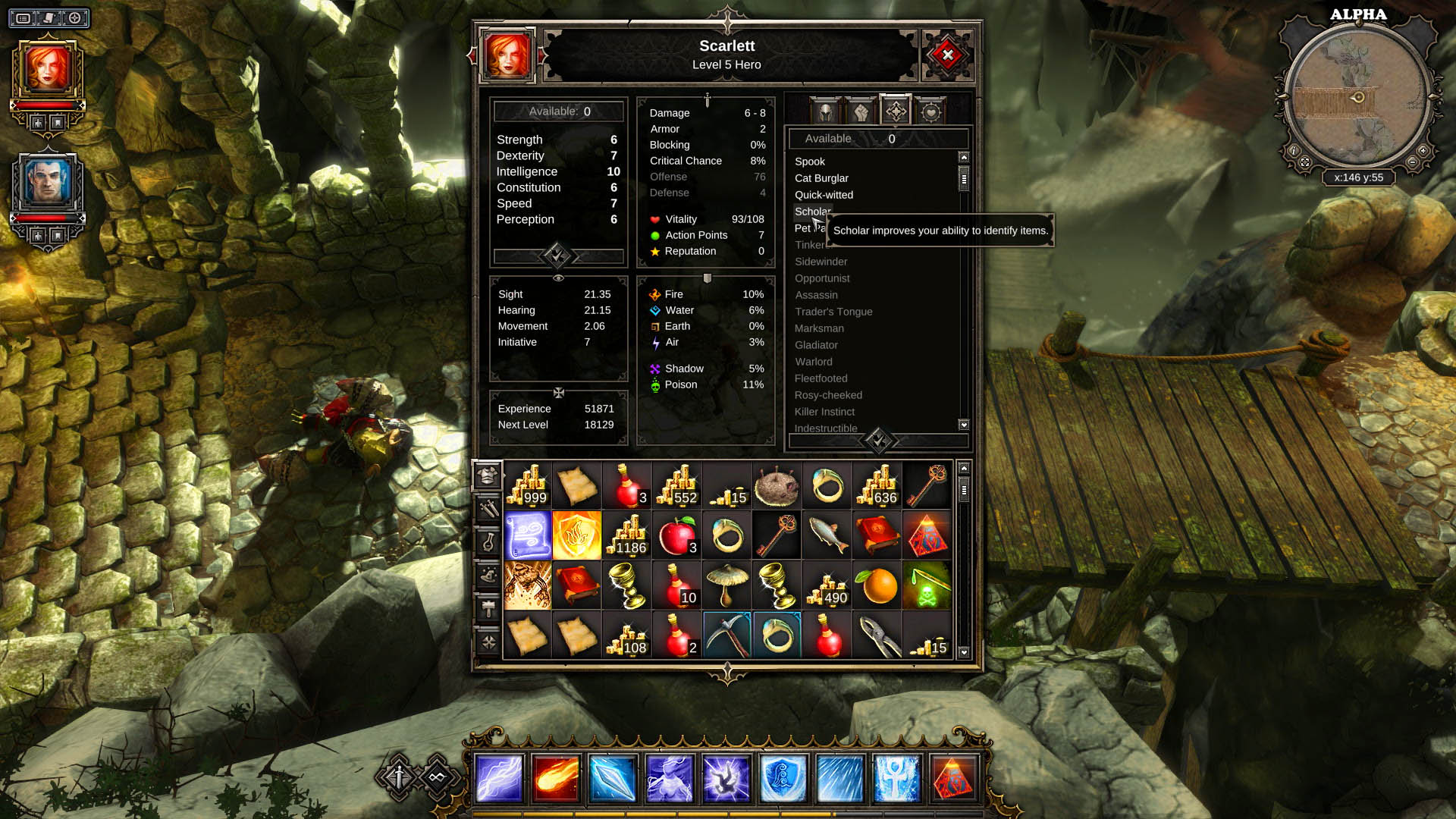
Games / Divinity Original Sin
July 01, 2014, 06:08:59 PM


Website: http://www.divinityoriginalsin.com
Publisher: Larian Studios
Developer: Larian Studios
Platform(s): Windows, OS X, Linux
Release Date: 30 June 2014

Join us in Divinity Original Sin

Post your application with the format listed below:

Name:
Gender:
Country:
IGN:

Add us on Steam: http://steamcommunity.com/groups/einsof

Recommended:
Get onto our Discord server. Some of us will be online daily if you need to contact us. Join our Discord group at http://esf.link/eindsc

Video


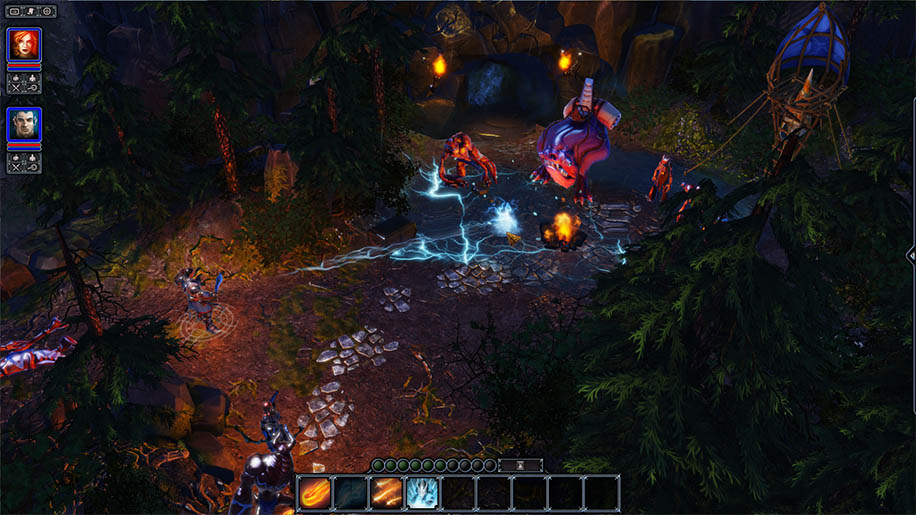
Screenshot


#137
Wildstar / Re: WildStar Raid Attunement
July 01, 2014, 05:22:35 PM
Hi Guys! First post updated! Revamped the whole sign up and progression procedure. It is easier to sign up/ look for teams and track your progressions now.

Individual Raid Attunement Progression: http://goo.gl/n762PE
Team Vet Adventures/ Dungeons Progression: http://goo.gl/mbE3wz
#138
Wildstar / WildStar Raid Attunement
June 19, 2014, 06:34:22 PM
Raid Attunement Progression

This spreadsheet (http://goo.gl/n762PE) is to track members' Raid Attunement Progression. Send your email address with your IGN(In-Game-Name) to [email protected] or http://einsofgaming.com/contact to gain access to the spreadsheet.

World Boss

A group of at least 20 people needs to be ready for step 11 (world bosses). We will schedule world boss runs once we have 20 people who are ready.

Raid Attunement Info Graphic Guide


***Open Image in New Tab and Zoom in for Larger View***

-info graphic guide modded from enigma
#139
Games / Re: Swordsman Online (笑傲江湖)
June 08, 2014, 10:41:07 PM

English version closed beta on 16 June 2014!
#140
Game Deals and News / [Free Game] Sniper Elite V2
June 05, 2014, 02:21:55 AM


Sniper Elite V2 is FREE for 24 hours on Steam! Install it before 24 hours end and you will get to keep the game forever!*

*To claim your free copy of Sniper Elite V2, visit http://store.steampowered.com/app/63380/ and install the game.

Sniper Elite V2 is an award-winning and authentic World War II sniping experience. You are elite US sniper Karl Fairburne. Parachuted into Berlin amidst the Germans final stand, your mission is to prevent Nazi V2 rocket program technology from falling into the hands of the besieging Red Army. You must aid key scientists keen to defect to the US, and terminate those who would help the Russians.
#141
Wildstar / Re: WildStar Game Info
June 01, 2014, 10:51:35 PM
[WildStar]


Guild Server: Myrcalus
Guild Faction: Exiles
Guild Application Link: http://einsofgaming.com/wildstarapply

Guild Update: Guild is UP and Running! Guild Name/ Tag: Einsof Gaming. We will now go through the list of Guild applicants and send out the invites. Note: Player have to be online for the Guild invite to work. If you're not invited to the Guild yet, you may PM Einzo or Myon in game. Alternatively you may also add them to your friend's list.

We will usually be online from 8PM GMT+8 on weekdays and 11AM GMT+8 on weekends. If you're not able to find us in game, you may look for us in Raidcall. Download Raidcall at http://www.raidcall.com. Our Group ID: 3540514.

We are likely to close our Guild Recruitment a few days after the official launch. As to when we will open our Guild Recruitment again, we will announce it when ready. So if you're still looking for a PvE Raiding Guild with some PvP goodness, head on to apply for the Guild at http://einsofgaming.com/wildstarapply before we close our recruitment!

We had an impromptu Guild photo session! A big thank you to those who made the time down for the photo session and also to those who contributed to the Guild creation! Much appreciated! :)

There will be more photo sessions in future, so don't worry if you missed out on this one! Looking forward to playing with you guys in Nexus!
#142
Wildstar / Re: WildStar Game Info
May 31, 2014, 05:41:44 PM
Guild Update: Einsof (EsF) Circle in WildStar has been set up while we prepare to get the Guild up. PM Einzo or Myon for invite. We are on Myrcalus server. Exiles faction.

We will be closing our Guild recruitment temporarily soon to accommodate our current Guild applicants first. If you wish to join us, head on to http://einsofgaming.com/wildstarapply to apply for the Guild before we close recruitment!
#143
Wildstar / Re: WildStar Game Info
May 30, 2014, 02:08:11 PM
Here's a Beginner's Guide to get started on WildStar. There are lots of information. Take the time to read if you guys have the free time. Thank you! Link: http://einsofgaming.com/forums/index.php/topic,560.0.html
#144
Wildstar / Re: Pre-Order!!!
May 30, 2014, 02:07:27 PM
Here's a Beginner's Guide to get started on WildStar. There are lots of information. Take the time to read if you guys have the free time. Thank you! Link: http://einsofgaming.com/forums/index.php/topic,560.0.html
#146
Wildstar / Re: Wildstar authenticator
May 30, 2014, 02:02:43 PM
Thanks for the info! :)
#147
Games / Re: Active Games
May 30, 2014, 02:00:09 PM
Currently Diablo 3, Valkyrie Crusade, Kingdom Under Fire 2 and upcoming WildStar.
#148
Part 15: Other Helpful Tips

This section for lack of a better explanation; is where I put any random tips and and information that I believe new players may want to know. Enjoy!


  • There are actually two separate sections to buy / sell items with other players. The Auction House (usually called "AH") has gear and items that have stats that directly impact your character. The Commodities Exchange (usually called "CX" or "CE") will only include items that do not have stats; such as crafting materials.
  • Addons (game mods) are supported and even recommended by the Wildstar developers. There are a lot of addons that are not enabled by default that may help you out. The current base UI works great for most people, but other addons are out there that may give you more of the functionality you are looking for. You can look into the available addons in the main ESC menu.
  • Love the way your gear looks but want to upgrade for better stats? Check out the Costume slots, which become available at level 7. If you want to edit your characters "Costume", simply speak to any "Protostar Dye Specialist" NPC. They can be found in the capital cities, and spread around various cities / camps throughout the game. The costume slots accept various armor pieces and obviously anything specifically marked as a "Costume Item".
  • Some abilities in Wildstar pack a serious punch, and may even 1-shot you if you are not careful. Make sure to dodge and avoid enemy telegraphs whenever possible.
  • To link a quest to your current chat channel, press Shift+Right Click on the quest name. This will help you to find groups if your guildmates are not available to help you out, as you can simply say "LFG..." and then shift-Right Click the quest name to paste it into chat.
  • If you are stuck in a position or are caught in a graphics glitch, type /stuck in your chat window to be instantly teleported back to stable ground.
  • In the settings menus for the game, you can change certain gameplay options to match your playing style. For example, if you prefer for your abilities to be instantly cast in whatever direction you are facing whenever you press an ability button - there is a setting for that. Vice versa - you can also set it up so you press an ability button, aim the predicted telegraph area, and then click your mouse to finish casting that ability.
  • When you fail a challenge, that is not the end of it. You can choose to replay any failed challenge to hopefully get better results.
  • Always be on the lookout for Settler camps, as the buffs left behind by Settler players can be extremely useful.
  • If you are a Settler and all the buffs are built in a particular Settler camp, you can "Add Time" to them (which obviously makes them last longer before resetting). By adding time you will still get credit as if you placed that buff in the first place.
  • On your abilities screen, you can set up a number of different "Loadouts" which will save your various ability setups for easy switching. Simply save a few different Loadouts there, such as a Tanking loadout vs. a DPS loadout, and then swap between them as needed. This will save you a lot of time compared to manually switching abilities that are needed for different situations.
  • Pick up your chosen harvesting tradeskill(s) as soon as you can at level 10. This will enable you to harvest resources while you are questing and generally playing through PvE content. On a side note, if you start doing this early on you will avoid any time spent backtracking to previous zones just to get caught up on your harvesting skills / supplies.
  • Start storing any items that you want to keep but not use in your bank, freeing up valuable inventory space when out doing PvE content. Banks are usually found near Auction NPC's, so keep a lookout for those as well. Also, once you have a housing plot - even if you aren't going to use a housing item right away, you can simply store that item in your "Crate", which will always keep that item safe at your house. Currently the Crate does not have a max number of items that it can hold (i.e. infinite house item storage).
  • Every time you log on to Wildstar, stop by your house to pick up your current housing buff(s).
  • Most (if not all) Adventures become accessible to you only after you complete certain quests. This is one great reason for completing as many of the quests in your current zone as possible.
  • If you are trying to get from place to place as fast as possible, and taxi travel is not an option - stick to the roads. When traveling on the pre-built roads, you get a speed boost.
  • As attractive as it might be to free up bag space - try not to salvage items! Salvaging, in its current form, does not reward you with good enough items compared to the selling value of that item when sold to a NPC vendor. In fact, most of the items you get from salvaging an item can be bought from various NPC's like the tradeskill vendors - and for less money than the item would have been worth to a vendor.

General


  • You can get your first house at level 14.
  • Teleport button to your house is on the right hand side of the action set, where Recall button with an arrow is located.
  • You’ll be able to edit your costume at level 7. Costumes can now only be edited at the Protostar Dye Specialists in Thayd and Illium, (you can also try typing /costumes in order to open Costum customization window, but it might be removed once the game launches). Costume slots unlock at levels 7, 14, 25, 35, 45 and 50, for a total of 6 available to each character. The total number available at launch is in flux, but there will certainly be more than 2.
  • If you want to see past tutorials pop ups â€" Press ESC then Tutorials.
  • Where I can find a bank to store my stuff? Banks are usually next to auction houses.
    For EXILE: In Thayd-Fortune’s Ground, next to an auctineer.There is also a permanent bank inside a house in gallow and the lopp village. Settlers can make a bankbox 10 meters from the house in gallow.
    For DOMINION: Illium-Fates Landing (East part, next to an auctioneer’s house).
  • Bank slots need bags…don’t sell off your extra bags until you use them for bank slots.
  • If you want to get inlaid amps, you can buy them from AMP vendor in Thayd for Exile. Look in tech fortunes area. For Dominions look in Illium. Amp Vendors are scattered around the world.
  • How to link a quest in chat? Shift+right click.
  • How to remove items from second action bar? CTRL+drag.
  • To turn off guild icon press P then edit nameplate display.
  • Shift+Scroll Wheel while hovering over a stacked inventory item will split stack.
  • Taxi stations show up as white circles on the mini map when they need to be discovered (You can discover them by right click a taxi station).
  • To preview the telegraph for an ability, simply mouseover the ability icon for a moment.
  • You can make your character walk by clicking [.] key on the number pad.
  • Recall â€" works similar to a Hearth Stone in WoW â€" you need to bind it to one of the portals located in large hub points to be able to use it first, once you’ve bound it you can teleport back there without running, when you move to a new area you can move the bind point.
  • If you are stucked inside a drill, trapped beneath a crate, or free-falling indefinitely, use the command /stuck.
  • You can ctrl+right click items to preview their looks.
  • When gaining reputation with a faction, Beloved is the max, anything over that is discarded.

UI/Configuration


  • Press ALT+F1 if you want to see FPS and Ping.
  • On your innate skill (skill with R at the bottom) and the recall skill (rightmost skill on the central skill bar) you have little arrows that give you options like changing stance or porting to your home (if you have one).
  • Yellow hexagons on your map are quest objective areas and orange hex are path mission areas.
  • You can disable the channels in your chat frame by clicking the little spanner icon, then pressing the button next to Advice. You can turn it back on using the same trick.
  • If you have problems with the UI, try /reloadui before camping and returning back to the game.
  • Marking the option “Hold to Continue Casting” under Abilities Options in the Options’ Combat tab will prevent abilities like Discharge and Runic Healing from clipping.
  • There is a key bind C for communicator that you can pop up to submit some finish quest.
  • Ctrl+Left Mouse Button removes items from your action bar.

Paths


  • You can activate your Path Action by pressing G key.
  • Built settler stations can give you some awesome buffs or even offer more taxi routes.
  • Settlers can build small camps with vendors and reputation quests.
  • When there are multiple settler terminals, you can get buffs from all of them.
  • Active settler stations are highlighted with a sky beam.
  • Explorer’s Scavenger hunts have both physical items you can click on, and items you have to Dig up by standing in the right spot. Pay attention to the meter on the Path UI widget. It will be full and a green ‘Dig’ button will light up when you’re in the right spot.
  • A small raised stone circle with cracked ground in the middle are explorer only ‘points of interest’ that will spawn random buffs or open up into otherwise inaccessible areas.

Questing


  • If you click the little number next to the quests name in your quest tracker it will open your questlog on said quest.
  • You can use quest items by pressing T.
  • When you click on a quest title in the tracker you get arrows pointing you in the right direction.
  • While questing, look out for special settler-taxi stations, those usually travel short distance to your current quest areas.
  • You can get special weapons from named monsters. If you complete a mini quest connected to your weapon, it will give the weapon a special effect.
  • If you haven’t completed a challenge don’t panic, you can restart a challenge after a cooldown, in the challenge menu.
  • You can restart challenges even if you achieved the gold medal.
  • When you’re doing a challenge and you don’t know where you can find more of X monster, look at the map. Purple hexagons indicate the zone you can find those monsters or anything else related to your challenge.

Mounts


  • You can buy riding skill and your first mount at level 15 for 10g.
  • You can buy Hoverboards at level 25 â€" price ~24g.
  • Advanced riding skill comes at level 40 (costs around 35 gold, increases mounted speed by 15%).
  • Once you buy a mount, it goes into your inventory. Use it from there.
  • How to mount? Press Z.
  • Mount button is placed at your bottom left corner. It is activated by keyboard button “Z”. There is a small arrow on this same button. You can use it to bring up a pop up menu with list of all mounts you have in your possession.
  • Summoning mount takes around 1,5-2,0 seconds. If you move during this time, it gets cancelled.
  • You can use Hoverboard on water.
  • The sprint key also works on your hoverboard.
  • Mounts can’t be used in PVP or PVE instances.

Crafting/Gathering


  • You can start salvaging items at level 8.
  • You can start crafting (tradeskill) at level 10.
  • You can right click on nodes to harvest them instead of attacking them.
  • If you cancel mid-craft you lose all your mats.
  • How do you craft a rune? At lvl 15 you got a quest at the engraving station. make sure to scroll down and do “show all”.

Instances / Group play


  • Dungeons and Adventures earn you reputation with your faction.
  • The group finder has a button to teleport you to the instance, while in an instance party. This is quite useful in case you end up outside by accident.
  • If you plan to visit the early dungeons / adventures, try to acquire some support gear first, because they are pretty hard if you go in with the DPS gear (either as a tank or healer).
  • When you mentor down you can’t use potions above the level you are mentored to.
  • You can gather a group and walk into a dungeon/adventure 3 levels before you can use the dungeon queue.
  • Warplots require 10 Warparty members to be online before the Warparty can queue.

Additional Info about Stats: Wildstar Secondary Attributes

Assault Attributes

Strikethrough Chance: This is your chance to strike through an opponent’s shields or personal defenses, mitigating their ability to deflect attacks. It is countered by your opponent’s Deflect Chance. Your current Strikethrough Chance assumes combat against an equal-level Challenger rank foe and is based on your Strikethrough Rating
Critical Chance Chance: This is your chance to critically strike an opponent. It is countered by your opponent’s Deflect Critical Hit Chance.
Your current Critical Hit Chance assumes combat against an equal-level Challenger rank foe and is based on your Critical Hit Rating.
Critical Hit Severity: Critical Hit Severity is multiplier that determines the amount of bonus effect, healing or damage, caused by Critical Hit.
This value is calculated from your base Critical Severity and your Critical Severity Rating and is subject to diminishing returns.
Armor Pierce: All damage you deal ignores this percent of your target’s Armor.
Shield Pierce: This percentage of all damage you deal will ignore your target’s shield and apply directly to their health.
Life Steal: This percent of damage you deal will be restored to you as health.
Haste: All class ability cooldowns are reduced by this percent.

Shield Attributes

Shield Regen Rate: This is the percentage of your Maximum Shield Capacity that will be restored each Shield Regeneration Interval.
Shield Reboot Time: This is the number of seconds that must elapse before your shield will begin to regenerate. Taking damage will reset the Shield Reboot Time.
C-Resistance Atributes
Physical Resistance: All incoming Physical damage is reduced by this amount. This mitigation percentage assumes combat against equal-level foe and is based on your Armor Value and your Physical Resistance Rating.
Technology Resistance: All incoming Technology is reduced by this amount. This mitigation percentage assumes combat against equal-level foe and is based on your Armor Value and your Technology Resistance Rating.
Magic Resistance: All incoming Magical is reduced by this amount. This mitigation percentage assumes combat against equal-level foe and is based on your Armor Value and your Magic Resistance Rating.

Defense Attributes

Deflect Chance: This is the chance that you will deflect an opponent’s incoming attack, and is partially dependent upon the rank and level of your opponent. It is countered by your opponent’s Strikethrough Chance. Your Current Deflect Chance assumes combat against an equal-level Challenger-rank foe and is based on your Deflect Rating.
Deflect Critical Hit Chance: This is your chance to deflect an opponent’s critical attack, and is partially dependent upon the rank and level of your opponent. It is countered by your opponent’s Critical Hit Chance.
Your current Deflect Critical Hit Chance assumes combat against an equal-level Challenger rank foe and is based on your Deflect Critical Hit Rating.
Resilience: All crowd control effects applied to you will be reduced by this percent.

Focus Attributes

Focus Recovery Rate: This is the amount of Focus you will regenerate each second while in combat. This value is calculated from your base Focus Recovery and your Focus Recovery acquired from items and AMPS. Focus Recovery Rating is subject to diminishing returns.
Focus Cost Reduction: The Focus cost of all your spells is reduced by this percent.

Pvp Attributes

PvP Offense: All damage you deal to players ignores this percentage of the target’s PvP Defense. This value is calculated from your base PvP Offense and your PvP Offense acquired from items and is subject to diminishing returns.
PvP Defense: All incoming damage from players is reduced by this percent. This value is calculated from your base PvP Defense and your PvP Defense acquired from items and is subject to diminishing returns.


sources:
wikipedia
wildstar forum
gamepedia
covenantofphoenix
wildstar nerds
mmoplay
#149
Part 13: PvE Adventures


In Wildstar, the developers have done something very unique that I don't recall seeing in another major MMORPG, and they call it "Adventures". You can start playing your first Adventure at level 15. Essentially what these Adventures exist for is to add more content to an already expansive game. Adventures are completely different from dungeons or raids because they are by nature non-linear. In fact, some Adventures are designed like the old "choose your own adventure" books where you can make numerous choices during the Adventure that determine how the rest of the encounter plays out. These types of Adventures focus more on storyline and the reason why you are in that particular place and time. However, this is only one type of Adventure - some of the other Adventures focus more on objectives and combat. In fact, there is even one type of Adventure that is styled after the MOBA game genre like League of Legends or DOTA. The possibilities are endless! Other than the sheer fun factor of Adventures, they do reward you with gear, crafting recipes, housing items, and experience.

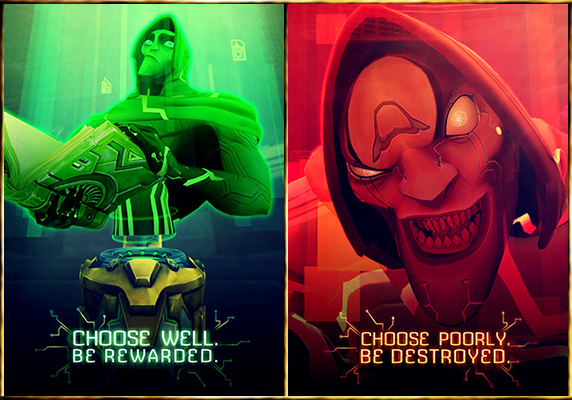
It is also important to note that Adventures are all virtual environments that are controlled by the infamous "Caretaker" NPC. If you haven't run into him before, the Caretaker is a relic Eldan AI that has gone a wee bit insane over the many years since the Eldan left Nexus. At times he is perfectly casual and helpful, while other times he is borderline psychotic - or maybe even straight up sadistic.

There are currently 7 Adventures in the game, with room for many more to be added over time. At level 15 there is an introductory Adventure (one each for Exiles and Dominion). The next Adventures become available starting at level 25.

Level 15: Riot in the Void (Dominion Only)
Level 15: The Hycrest Insurrection (Exile Only)
Level 25: War of the Wilds
Level 30: The Siege of Tempest Refuge
Level 40: Crimelords of Whitevale
Level 45: The Malgrave Trail

=-=-=-=-=-=-=-=-=-=-=-=-=-=-=-=-=-=-=-=-=-=-=-=-=-=-=-=-=-=-=-=-=-=-=-=-=-=-=-=-=-=-=-=-=-=-=-=-=-=-=-=-=-=-=-=-=-=

Part 14: Wildstar Crafting

Starting at level 10, your character can learn up to 2 Tradeskills. In addition to your Tradeskills, there are also Hobbies and general crafting-related skills that you can use. There are currently 3 gathering tradeskills, and 6 production tradeskills.

Gathering Tradeskills

Miner: The Miner excavates precious ores, crystals and gems to be used by the Weaponsmith, Armorer and Architect.
Relic Hunter: The Relic Hunter excavates omni-plasm and Eldan relics used by the Technologist, and the Weaponsmith. Some of the most powerful items on Nexus may require Eldan Relic Parts.
Survivalist: The Survivalist skins leather and cuts meat from creatures. They also harvest wood from trees with a laser chainsaw. Best paired with the Outfitter or architect.

Production Tradeskills

Architect: The Architect shapes FABkits, decor items and war plot deployables. The Architect is best paired with a heavy dose of patience, tons of resources, and the Survivalist...possibly a Miner. Also Farming... and on rare occasions, Relic Hunter.
Armorer: The Armorer forges heavy armor and combat shields, then powers them with microchips and power cores. This tradeskill is best paired with Mining.
Outfitter: The Outfitter uses Leather, pelts and bone to craft medium armor and support systems, then powers them with microchips and power cores. This tradeskill is best paired with the Survivalist.
Tailor: The Tailor uses cloth gathered from humanoids to craft light armor. This tradeskill has no preferred pairing.
Technologist: The Technologists creates medical supplies, stat boosting potions, and field technologies from combining omni-plasm with herbs and produce. Refurbishes Eldan relics to craft gadgets. Best paired with Relic Hunter.
Weaponsmith: Weaponsmithing is the art of forging weapons and weapon attachments, then powering them with microchips and power cores. This tradeskill is best paired with Mining.

Hobbies

Cooking: Cooks use produce and meats to whip up delicious delicacies. By mixing different ingredients at cooking stations, cooks can discover recipes that provide all kinds of benefits and buffs.
Farming: Farmers collect herbs, seeds, and produce by attacking various plants. The resources can be used for crafting and the seeds can be planted in a garden in player housing.

General Skills

Runecrafting: Runecrafting is an item enhancement system. Players can create runes to place into open rune slots in their gear. Runecrafting is available to all players at level 15.
Salvaging: Salvaging is a process by which players break down items into their basic components, providing materials to use for crafting. Salvaging is available to all players at level 8.

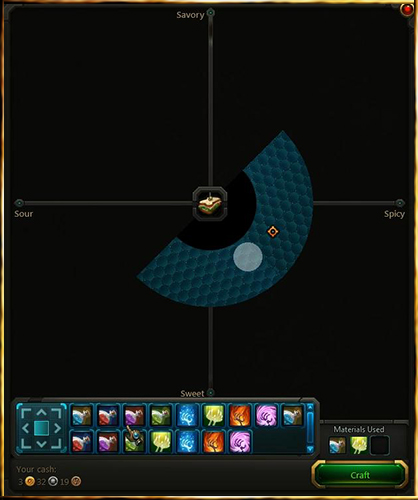
Now that we have the basics out of the way, I also wanted to briefly explain how the crafting mechanic works in Wildstar. As opposed to a simple system of having specific mats for a recipe and clicking the 'craft this item" button, Wildstar has a more unique style for crafting. Basically the way that it works is you choose which recipe you want to craft, and then the materials you use during the crafting process will determine what item is crafted. Wildstar is based on a coordinate system, where each material that you add to the recipe moves your "target cursor" in a specific direction. The end result you are looking for here is that the target cursor ends up on the grid in the spot showing the item you were trying to craft. In case you are a visual person and want to see an example of what this looks like, here you go:

#150
Part 9: Wildstar Housing

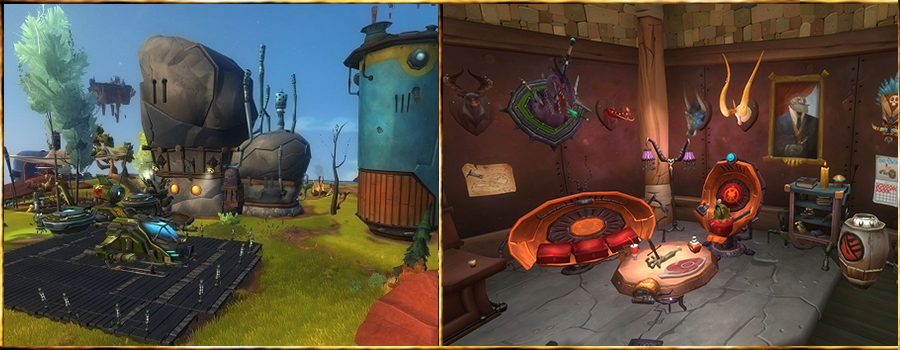
As with almost everything else in Wildstar, the housing is extremely customizable. Your first housing plot will be available at level 14, and can be found in your first main city for your faction. This city will be called Illium if you are playing Dominion, or Thayd if you are playing an Exile. You can start the mini-quest for a housing plot at the NPC named "Protostar Housing Specialist". He will point out where you go next - to the Protostar Housing Initiative. For 1 gold, you can purchase your first housing plot and start setting up your home. Again, this is Wildstar - we aren't going to stop at simply building a house and decorating it. Don't get me wrong, the decorations are numerous and very interesting to set up. However, the best part about Wildstar Housing is that your main house is just one small part of the overall housing system.


Not only do you get a house, but your "plot" actually contains quite a few other areas for setting up as you would like. You can add resource gathering nodes, smaller buildings with special functions, etc. You can even place various quests on your land that both you and your visitors can participate in to receive some special rewards for completion. Just to give you an idea of what we are all talking about here, this is a more complete list of the available housing plot options:

Crafting Stations to work on your non-combat skills
General decorations such as trees / bushes / etc
Target Dummies for testing out your combat skills
Direct portal to a specific dungeon or raid
Mini-Game "Challenge" for you or your friends to enjoy
Resource nodes that respawn over time
Storage for your items
Teleporter for instantly getting to your Housing plot and back to where you were
Visual Effects for your Home plot such as lighting, background, etc

There are also some more functional parts of housing that are worth mentioning as well:

You can add your friends in-game to be your "Neighbors" that live next door, or even set them up as your Room mate where you then share the Housing plot.
You can set permissions for who can and cannot visit your plot.
Logging off while you are in your housing zone grants you Rested Exp until you log back into the game.
Every 24-hours you can go to your Buff Board located on your plot to choose a new buff (which affects everyone who enters your plot).

=-=-=-=-=-=-=-=-=-=-=-=-=-=-=-=-=-=-=-=-=-=-=-=-=-=-=-=-=-=-=-=-=-=-=-=-=-=-=-=-=-=-=-=-=-=-=-=-=-=-=-=-=-=-=-=-=-=

Part 10: Guilds & Social Groups


Social groups in Wildstar enable you to keep track of who is your ally and who is your enemy. There are currently 5 different social lists that you can add and remove players from:

Friends List: The friends list in Wildstar functions in the same way that you would expect - you add players that you enjoy gaming with, and then you can keep track of their progress via the Friends window. You can also use the Friends list as quick way to invite your friends to a party. If you happen to be near a friend out in the game world, they will even show up with a green happy face above their heads for quick "friend" indentification.

Neighbors List: The neighbors list is another type of friends list, but specifically in regards to housing. Once you have your housing plot set up, you can add people to your "Neighbors" social group. This allows them to visit your house that may not otherwise be public. Furthermore, you can set specific permissions in regards to what your neighbors may and may not do at your house. For example, if you have a resource node on your housing plot, you can set up your neighbor's permission level to allow them harvesting access whenever they visit.

Rivals List: The rivals group is something that I'm sure most of us have wished was around in previous MMO's. Basically, it is the opposite of the friends list but it functions the same way. You add a player to your rivals list, and thus you will always be able to keep tabs on your enemy. Similar to the friends group, if you happen to see a rival running around in the game - there will be a red face icon above their character.

Ignored List: I'm sure you've encountered spammers in chat in pretty much every MMORPG that you've played... Or at least some people where the more they talk - the more you want to punch them in the face. ;) Simply add that player to your ignored list, and they will no longer show up in your chat window. On a side note, keep in mind that ignoring someone is a two-way street in Wildstar. If you add the player to your ignored list you will no longer see their chat messages, but they will no longer see yours either.

Suggested List: This is one type of social group that is actually generated by the game itself. After being in a group with another player, the system will automatically add that player to your suggested list once the party disbands. This will help you to quickly identify someone that you enjoyed playing with in that party, even if they were not on your friends list or in your guild.

In addition to the give types of social lists above, there are also two types of social groups that are a bit more structured. Let's start with the simplest one first:

Circles: As opposed to one long list of player names on your friends list, circles in Wildstar allow you to keep a more organized social group separate from the rest. Basically you can add a number of players to a specific circle that functions like a guild - but without the restrictions of being in the same guild. In other words, you can add any players you want (from your server), regardless of which guild that they are in. As an example: you could create a circle for "Crafting & Trading", and then add specific players to that group who you like working with. The players in that circle can all chat back and forth in a special chat channel that is automatically set up for that circle - specifically about crafting and trading. You may also want to set up a circle for dungeons and raids, so you have a place to communicate with any other players that you have enjoyed grouping with in the past. If you played FFXIV, then you may recognize circles as Wildstar's version of the FFXIV Linkshells. In Wildstar, you can currently be a member of up to 5 circles at any given time.

Guilds: More than likely, Wildstar is not your first MMORPG. You've probably experienced guilds before in other MMO games, so much of the Wildstar guild functionality will be familiar to you. Given that this is the more structured type of social group in Wildstar, there are certainly a few bits of information that you will want to know about:


  • A guild can be created by any character that has reached level 12.
  • To create a new guild, you do not need anyone to sign your "guild petition" or anything like that. You simply go to your faction's capital city and find the guild creation NPC. You name your guild, pay the fee (10 gold), and boom you now own your own guild!
  • Keep in mind that when naming your new guild, you currently cannot create a guild with the same name as any other guild in the game (all servers). Many players have pre-ordered Wildstar and were able to reserve their guild name ahead of time.
  • Once a guild has been created, you can invite other players to join you. There are a variety of ways to do this, including simply right-clicking their name in chat and choosing "Invite to Guild".
  • As opposed to Circles, you can only be a member of 1 guild at a time.
  • Currently the maximum number of members allowed per guild is 500.
  • Whenever you are grouped with another guild member, you earn "Influence" points for your guild. These Influence points can be spent to level up your guild and provide buffs or new functions to your guild as it advances.

=-=-=-=-=-=-=-=-=-=-=-=-=-=-=-=-=-=-=-=-=-=-=-=-=-=-=-=-=-=-=-=-=-=-=-=-=-=-=-=-=-=-=-=-=-=-=-=-=-=-=-=-=-=-=-=-=-=

Part 11: PvP & Warplots


There are a number of different types of PvP content in Wildstar: Open World PvP (on PvP servers), Duels, PvP Arenas, PvP Batlgrounds, and PvP Warplots. In these PvP matches, Gear and level is normalized, so you are generally on equal footing against your enemies. However, you can purchase PvP-specific gear that has special "PvP Offense" and "PvP Defense" stats to improve your effectiveness in PvP. Also, PvP matches reward you with "Prestige", which is a PvP-only currency that can be exchanged for PvP gear. It is also important to note that any PvP battles that you queue up for using the PvP window are cross-server, meaning that you are competing with players that could be from any server (yours or otherwise).

Open World PvP: You are really only going to see this on PvP servers. This is essentially referring to Exiles vs. Dominion PvP in any of the zones throughout the game (other than the capital cities). It is possible to flag yourself for PvP while on a PvE server, but your enemies are not required to do so.

Duels: As you might expect, this is a 1v1 duel system that pits you against your opponent. It is pretty straightforward, so not much to say on this one.

PvP Arenas: At launch, there will be competitive and casual PvP Arenas available for players to enjoy. They will be set up as 2v2, 3v3, and 5v5 matches. They will be smaller areas than other PvP types such as Battlegrounds and Warplots, so they will encourage you to start the PvP action quickly.

PvP Battlegrounds: These Battlegrounds are for medium sized groups, and usually are based around specific objectives based on which Battleground you are in. These matches are 10v10, and you can queue to join them as a group.

PvP Warplots: Warplots are by far the most exciting PvP option in Wildstar at this point! Not only are we talking about organized 40 vs. 40 PvP matches, but every part of the Warplot battle concept is pretty awesome. Essentially how these work is you create a Warplot Fortress, which feels similar to setting up your base in a tower defense game. You can place traps, walls, mazes, guards, RAID BOSSES, er... ahem, and yeah - other things. Then once you have your Warplot Fortress completed, you and your 39 friends form up a War Party and pit your fortress against your enemy's fortress to see who is better. So, not only are you facing 40 enemy players, but all of the impending doom that their fortress holds as well. Oh, and did I mention you can put down RAID BOSSES to guard your fortress?!

=-=-=-=-=-=-=-=-=-=-=-=-=-=-=-=-=-=-=-=-=-=-=-=-=-=-=-=-=-=-=-=-=-=-=-=-=-=-=-=-=-=-=-=-=-=-=-=-=-=-=-=-=-=-=-=-=-=

Part 12: PvE Dungeons & Raids


Dungeons

The first group (5 players) dungeon becomes available to you at level 20.. Dungeons in Wildstar have been designed to take roughly 1 hour to complete, so it should not be a long drawn out process. At launch, they are looking to have 4 or 5 dungeons available to play. There will also be "Veteran" versions of each dungeon that are playable only at max level. The Veteran versions of the dungeons are obviously more difficult than their lower level counterparts, and thus the loot rewards will be more in-line for level 50 characters.

The dungeons will have what you would normally expect such as bosses and trash mobs in between. However, they will also have public quests built into the dungeons that you can complete - which of course grant you experience / loot / etc. for completing them.

Raids

The raid content in Wildstar is one of the most hyped aspects of the game. The devs have stated numerous times that not only are they putting a lot of time and effort in to make the raids fun, but they intentionally want them to be very difficult. In fact, Brett Scheinert (the dev in charge of Raid development) has stated, "When you fail, we want you to fail spectacularly." Hah, no pulling punches here!

Raids in Wildstar aren't going to be simple "stand here, run there, follow this strategy in this order, etc."... The best way to accurately describe raids in Wildstar is "organized chaos"! If you've seen any of the preview videos or livestreams that show the raids in progress, you know what I mean. There are telegraphs going off repeatedly, and even someone who knows all of the strategies for the fight can still be defeated by the challenging mechanics of the boss mob. Also, there will not be situations where the healers are playing some whacked out "grid healing" mini-game where they are just staring at health bars and healing where it's needed. In Wildstar, every single player is actively fulfilling their role while doing everything in their power to stay alive. There are many situations where a player's job is to draw attention away from specific areas or players, move players out of danger, or just do their best to survive until their time comes to complete a specific task.

Furthermore, the developers have already stated that they do not want to "nerf the raid content" like you might see in other MMORPG's over time. Many MMORPG's have raid content that gets repeatedly nerfed over time to help out the more casual players. In Wildstar for raiding, the developers have instead chosen to side with the "hardcore" players and really swing for the fences. I specifically recall a dev livestream where they said they would only ever make a specific raid enounter easier if they had already came out with a new raid with harder content to take it's place as "the most difficult raid".

In addition to how difficult each encounter will be - they have majorly ramped up the number of encounters in Wildstar raids. In fact, there are even rooms that are as difficult to get through as a boss you fight against.

At launch, there will be one 20-man raid and one 40-man raid. They will both be for max level (50) characters.

The Genetic Archives

Raid Size: 20-man Group
Storyline: "The forces of corruption nestled in Isigrol grow stronger, infiltrating the secret Eldan facility known as the Genetic Archives, a massive repository for the eugenic data of all organisms across Nexus!" (wildstar-online.com)
Content: 6 bosses, 10 mini-bosses, 5 events.

The Datascape

Raid Size: 40-man Group
Storyline: "Answer the Caretaker’s desperate plea to access the deepest recesses of the Nexus Project and jack into the Datascapeâ€"the virtual world where the myriad shards of the Caretaker’s fractured personality reside and have devolved into capering aspects of sadistic madness." (wildstar-online.com)
Content: 7 bosses, 16 mini-bosses, 2 rooms.